Schedule LinkedIn posts
from one calendar.
A visual content calendar built for people who publish on more than one account. Batch a month of posts, route drafts through client approval, and let the queue do the remembering.
14-day free trial · no credit card · cancel anytime
See the whole month, not the next post.
Most LinkedIn scheduling still happens in a spreadsheet: a tab of drafts, a column of dates, and a reminder to paste the right one at the right time. Linkziy replaces that with a drag-and-drop calendar. Every post, carousel, and account sits in one view, so gaps are visible before they become a silent week.
Write in the editor or pull a draft straight from the AI post writer, drop it on a slot, and move on. Rearranging a week is dragging cards, not rewriting a plan. Mobile preview shows exactly how each post renders in the LinkedIn feed before it ships.
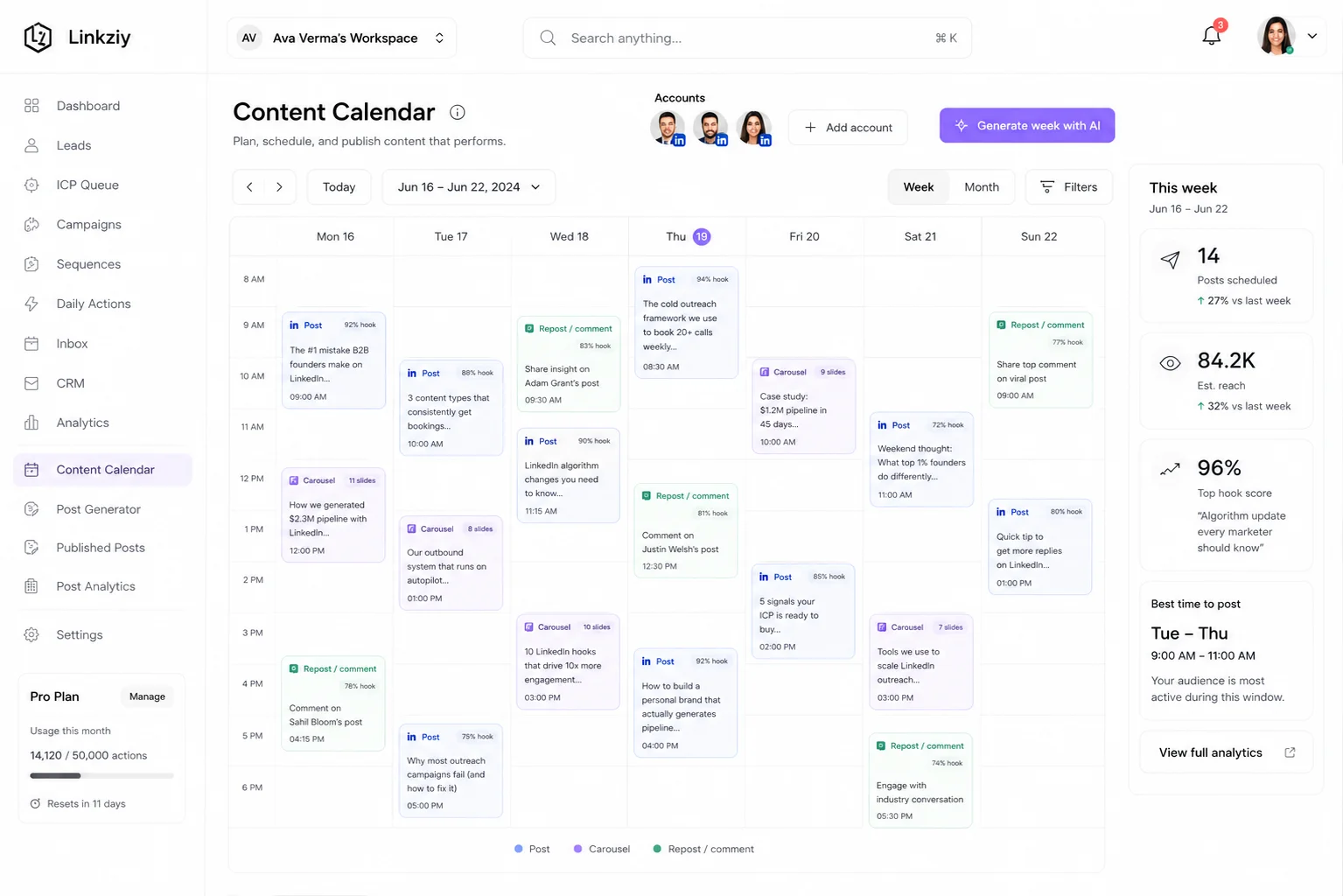
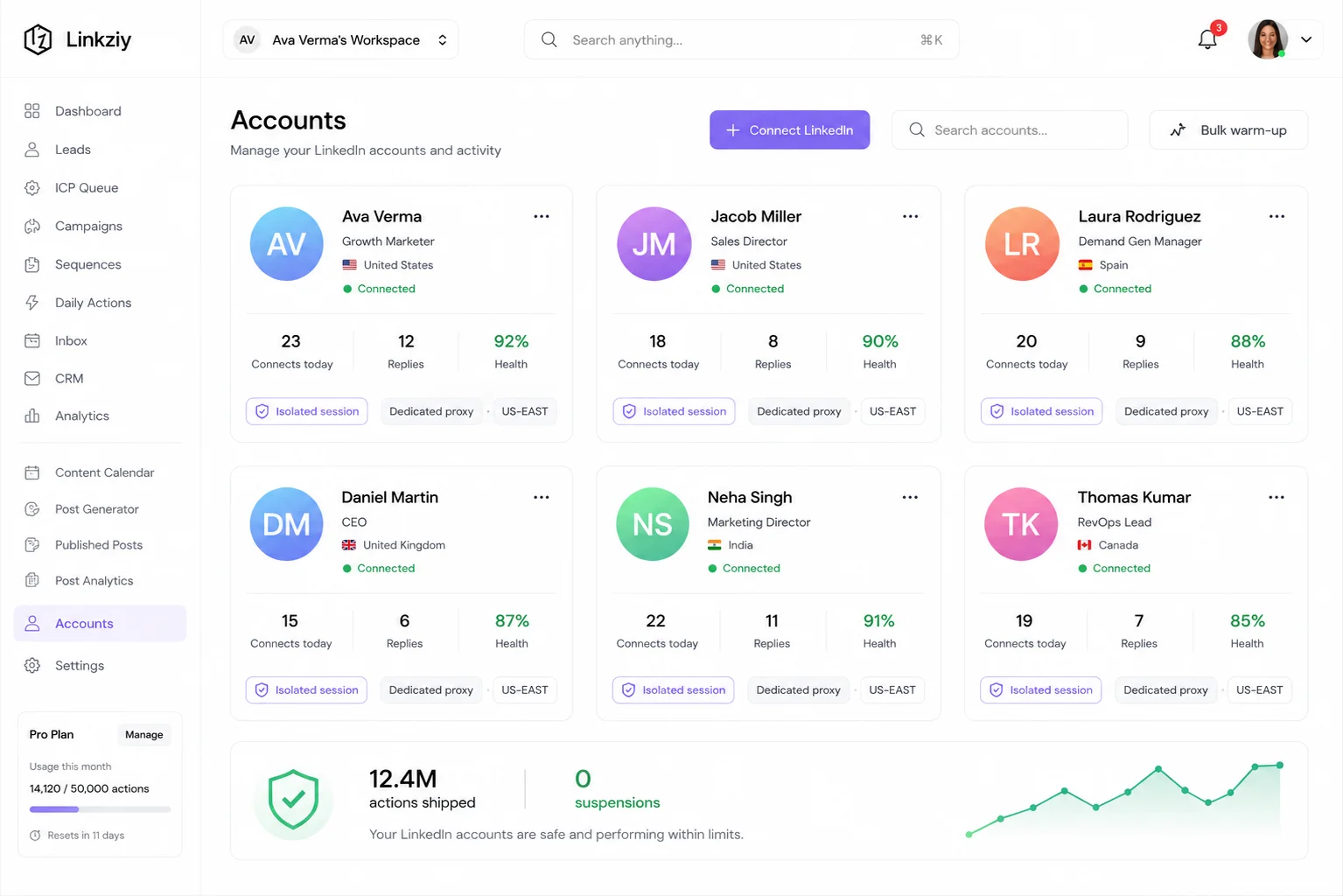
Every account you run. One queue.
This is where Linkziy parts ways with single-profile schedulers. Most tools assume one person, one account — run five client profiles and you are switching workspaces all day. Linkziy assumes multiple accounts from the start: connect each one, and they all appear in the same calendar with isolated sessions per account.
Write a post once and stagger it across accounts and timezones, or keep every account's plan fully separate. Ghostwriters and agencies get one view of everything due this week across every client — see how agencies run client accounts on Linkziy.
Best time to post, without the folklore.
You have seen the infographics: post Tuesdays at 9am, never on weekends, always before lunch. The honest answer is that there is no universal best time — what earns reach is showing up consistently with a first line worth stopping for. A mediocre post at the "perfect" hour still loses to a sharp post at a boring one.
So Linkziy's slot suggestions stick to what the product can actually know: the timezone your audience sits in, and when your own past posts earned engagement. It proposes a repeatable weekly rhythm in your audience's working hours, then holds you to it — because a schedule you keep beats a timing hack you read about. If your first line is the weak point, start with the hook examples on the hooks page.
Drafts go in.
Approved posts come out.
When you publish on someone else's account — a client's, a founder's, an exec's — "just trust me" is not a workflow. Linkziy gives every post a status, so nothing reaches a client's feed without their sign-off, and nobody chases approvals over WhatsApp screenshots.
- 01
Draft
Anyone on the workspace writes or generates a post and drops it on the calendar as a draft.
- 02
In review
The client or account owner gets a review link. They comment or edit inline — no Linkziy login required.
- 03
Approved
Once signed off, the post locks and moves into the queue. Edits after approval reset it to review.
- 04
Published
The post goes out at its slot, on the right account, and shows up in analytics the same day.
The calendar is the last step. Here's the rest.
A scheduler with nothing to schedule is a very tidy empty calendar. Linkziy's writing tools feed the queue directly: draft posts with the AI LinkedIn post generator, open strong with the hook library, and push finished decks from the carousel builder straight onto a slot as a document post. If you are building a long-term presence rather than a one-off campaign, the personal branding stack shows how the pieces fit together — and if you're weighing Linkziy against a content-only scheduler, the Taplio comparison covers that head-to-head.
The scheduling module starts at $9/mo on its own — full breakdown on the pricing page.
Questions,
honestly answered.
Need something specific? Ask us directly — we answer during business days.
What is the best time to post on LinkedIn?
Can I schedule carousels?
How far ahead can I schedule posts?
Can I schedule posts for multiple LinkedIn accounts?
Your LinkedIn Growth OSis waiting.
Connect your accounts, batch your next two weeks of posts, and let the calendar do the remembering.