LinkedIn Search
Find Prospects on LinkedIn
Bring relevant LinkedIn prospects directly into Linkziy and get them ready for your outreach workflow.
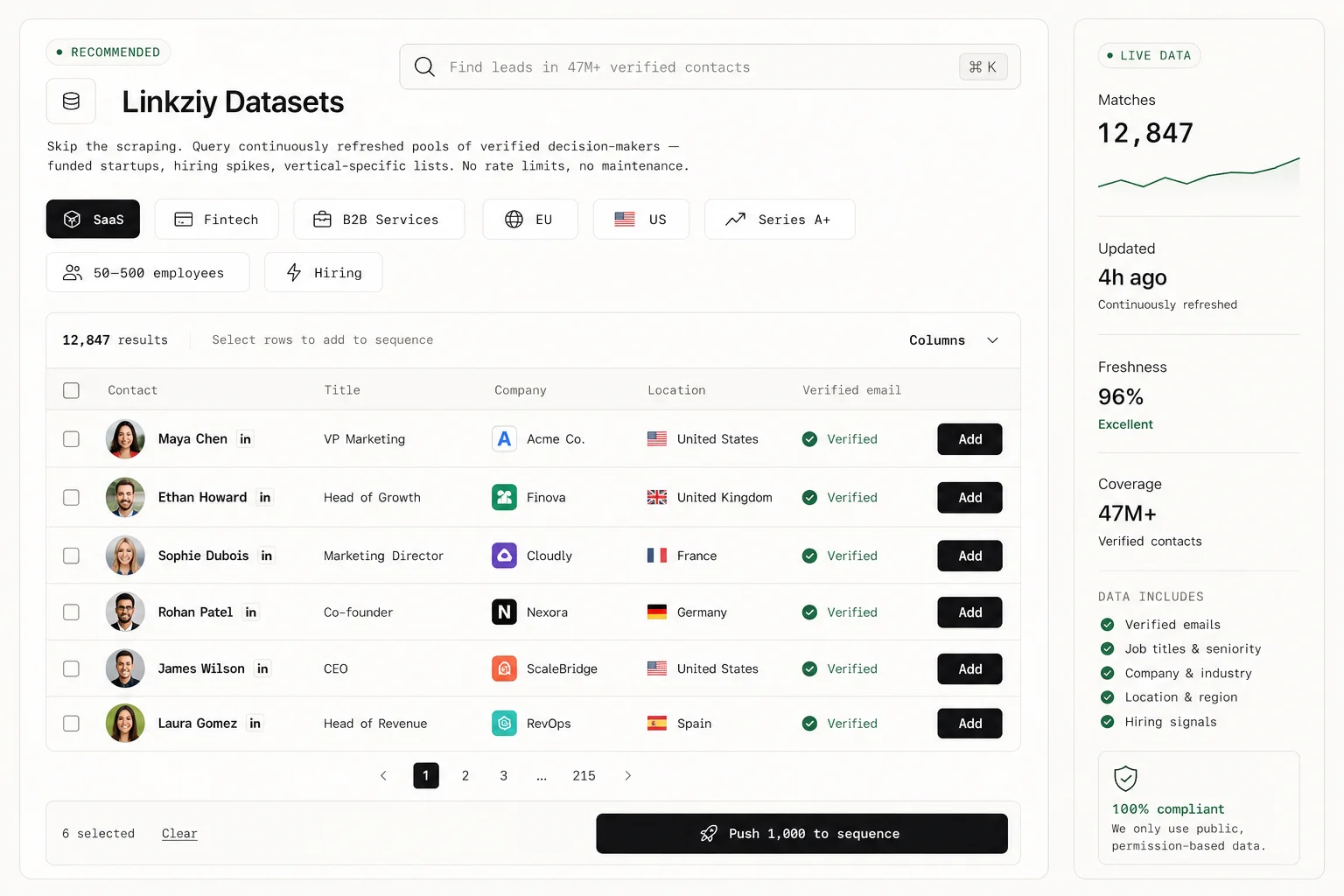
Find prospects. Build outreach. Create content. Manage replies. Linkziy is a LinkedIn automation tool that brings your growth workflow together, so everything feels connected instead of scattered.
14-day free trial · No credit card required
Managing LinkedIn growth across different tools means more tabs, more switching, and less visibility. Your content, outreach, replies, and analytics stay disconnected.
You use one platform to create and schedule LinkedIn posts, but it doesn't connect to your outreach or sales activity.
Campaigns and follow-ups run in a separate platform with different accounts, settings, limits, and workflows.
Messages from different LinkedIn accounts are spread across separate inboxes, making conversations harder to track and manage as a team.
Campaign and content data often ends up in different dashboards or spreadsheets, making it difficult to see the complete picture.
Linkziy puts outgoing content and the operational layer in a single workspace, so all your LinkedIn activity can behave in the real world as if each piece knows the others exist.
Bring prospects into Linkziy, enrich contact information, build campaign sequences and automate the repetitive touches without manually babysitting every next step.
Create LinkedIn content with AI, start from templates or write it yourself. Plan posts, schedule ahead, and keep your publishing workflow moving without another content tool.
Already have a list? Found prospects on LinkedIn? Adding someone manually? Bring them into Linkziy using the method that fits your workflow.
Bring relevant LinkedIn prospects directly into Linkziy and get them ready for your outreach workflow.
Already have prospect data? Import your CSV and start working with the contacts you have instead of building the list again.
Know exactly who you want to reach? Add individual prospects directly to your list and move them into your workflow.
LinkedIn, CSV, or manual entry. However your prospects come in, Linkziy keeps them in one place.
No need to restart the list because the workflow has changed. Introduce prospects into Linkziy the way it already makes sense for your team.
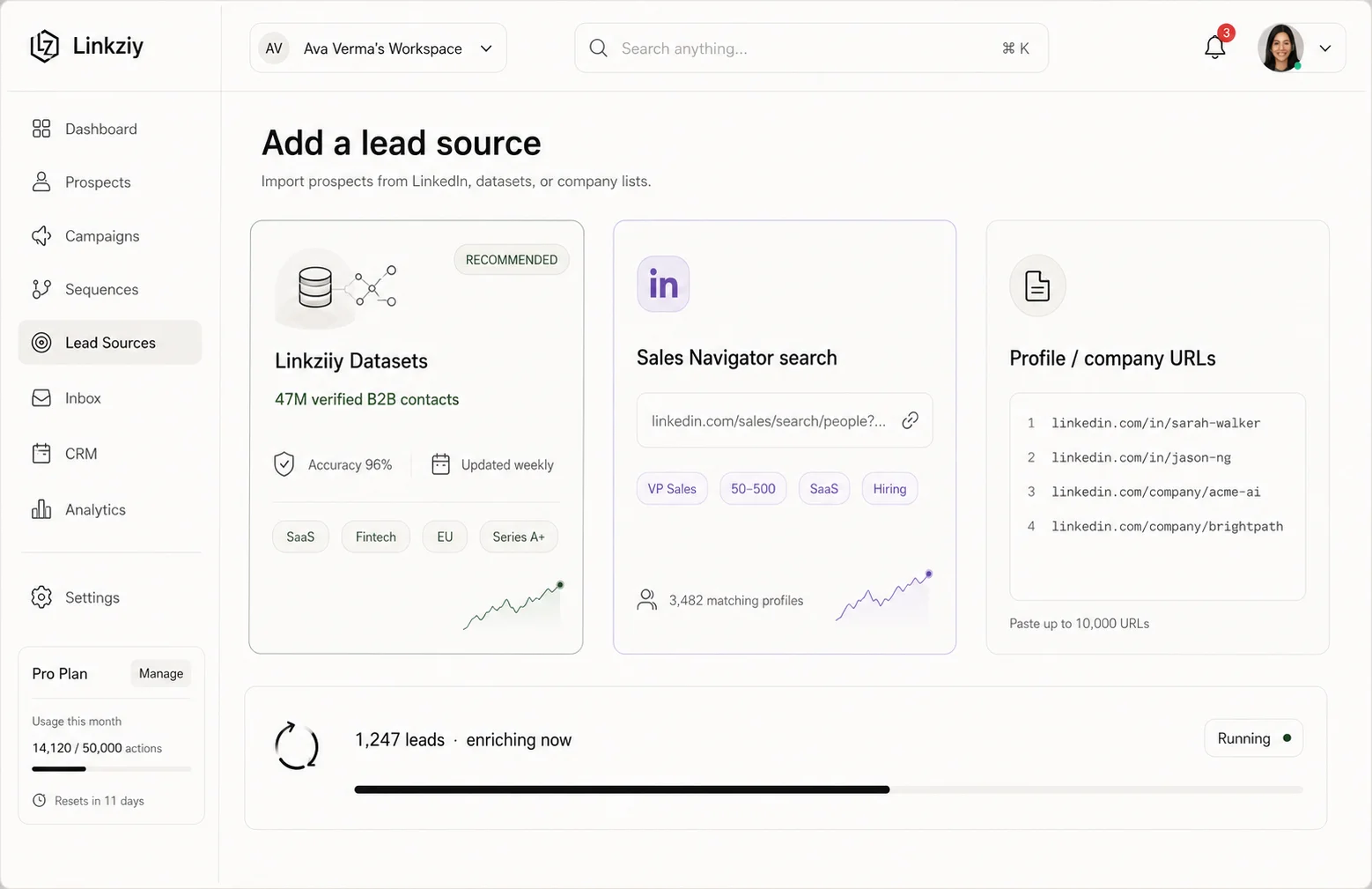
Start with LinkedIn prospects, uploaded lists or leads you already know you want to reach.
Enrich prospects with additional contact information, including available email and phone details, so a LinkedIn profile becomes something your wider sales motion can actually use.
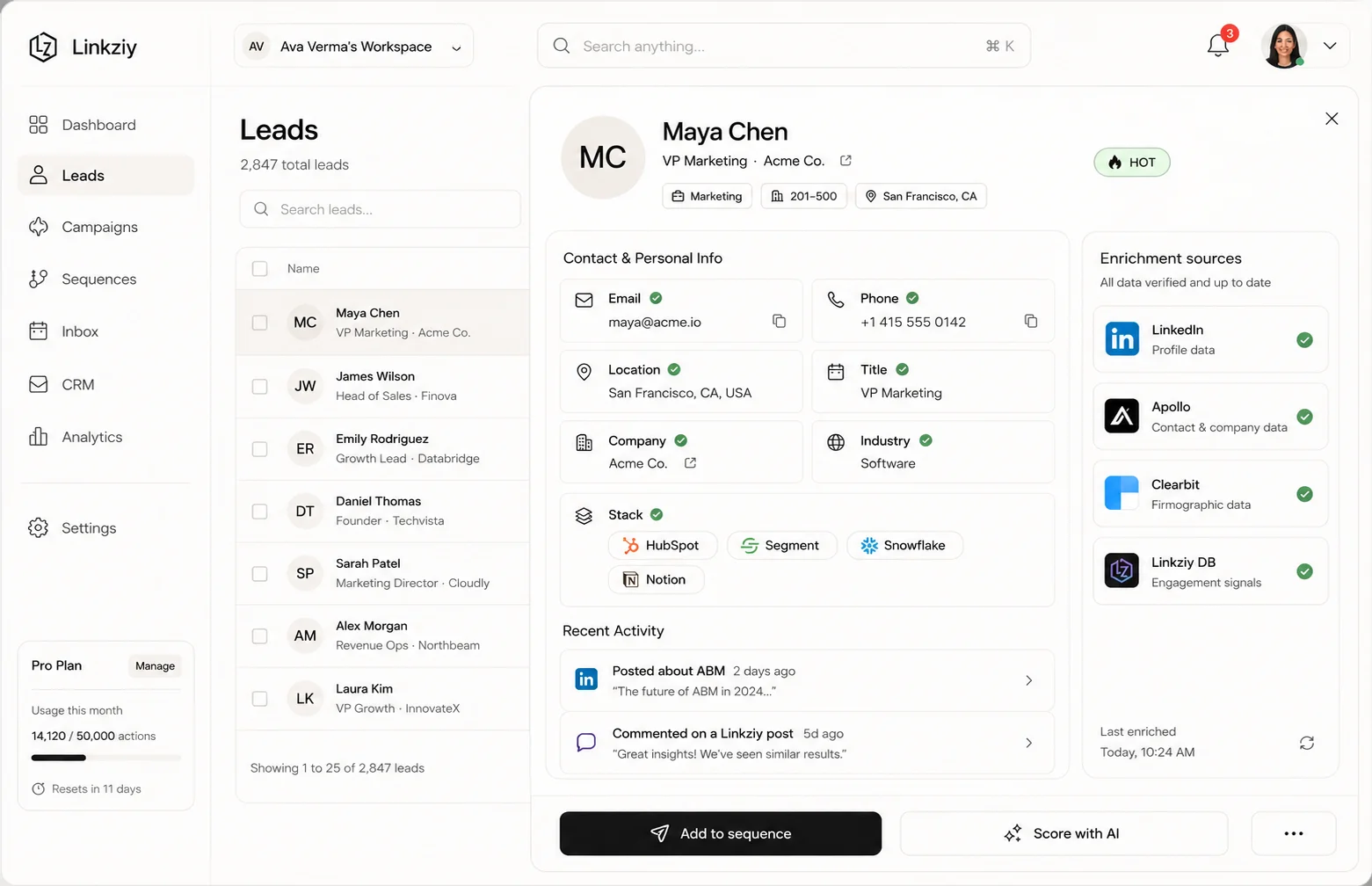
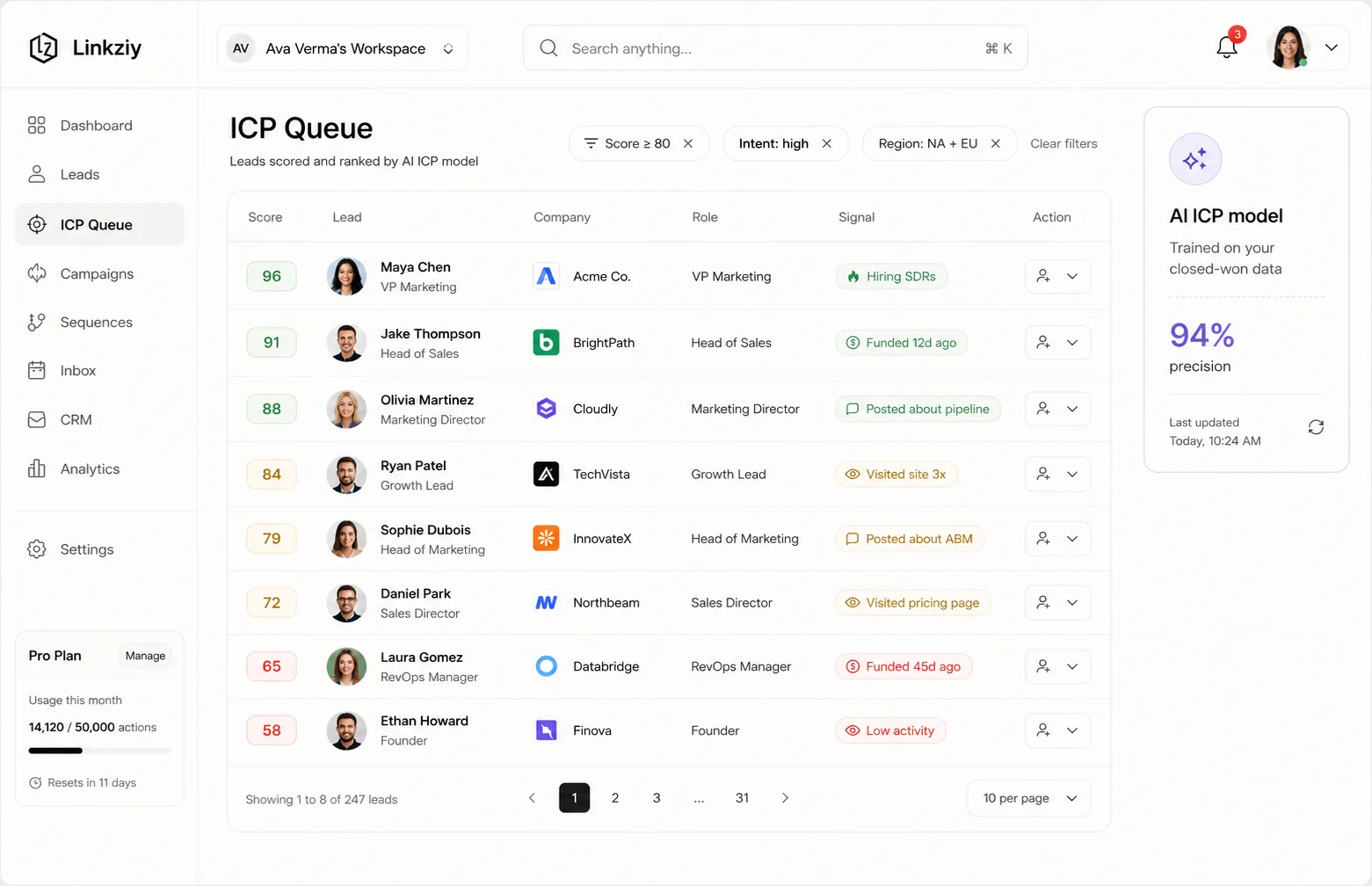
Build prospect lists, manage records, and catch duplicate entries before they turn into duplicated outreach.
Create multi-step LinkedIn sequences around the actions you want prospects to take instead of relying on someone remembering what happens next.
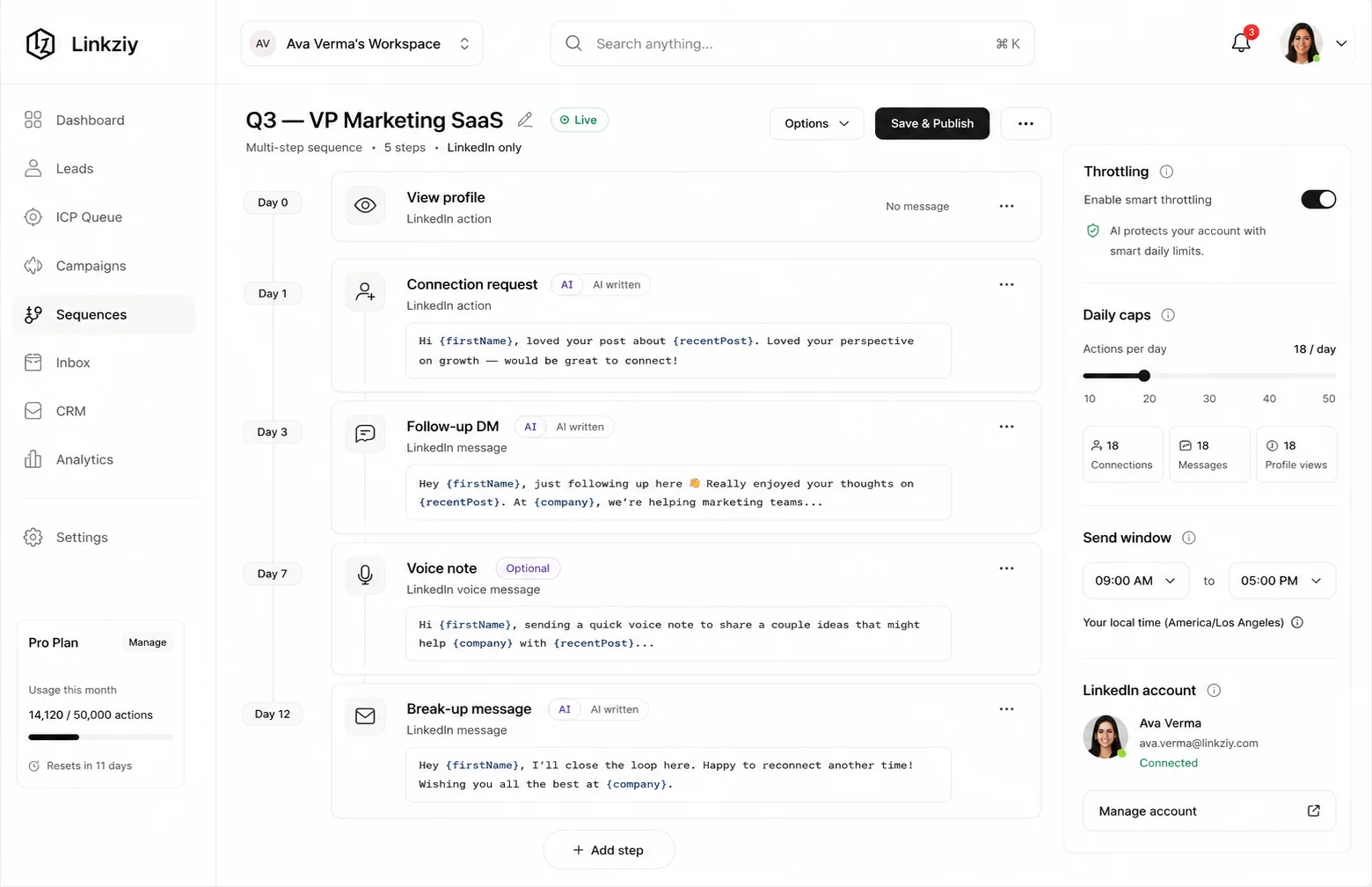
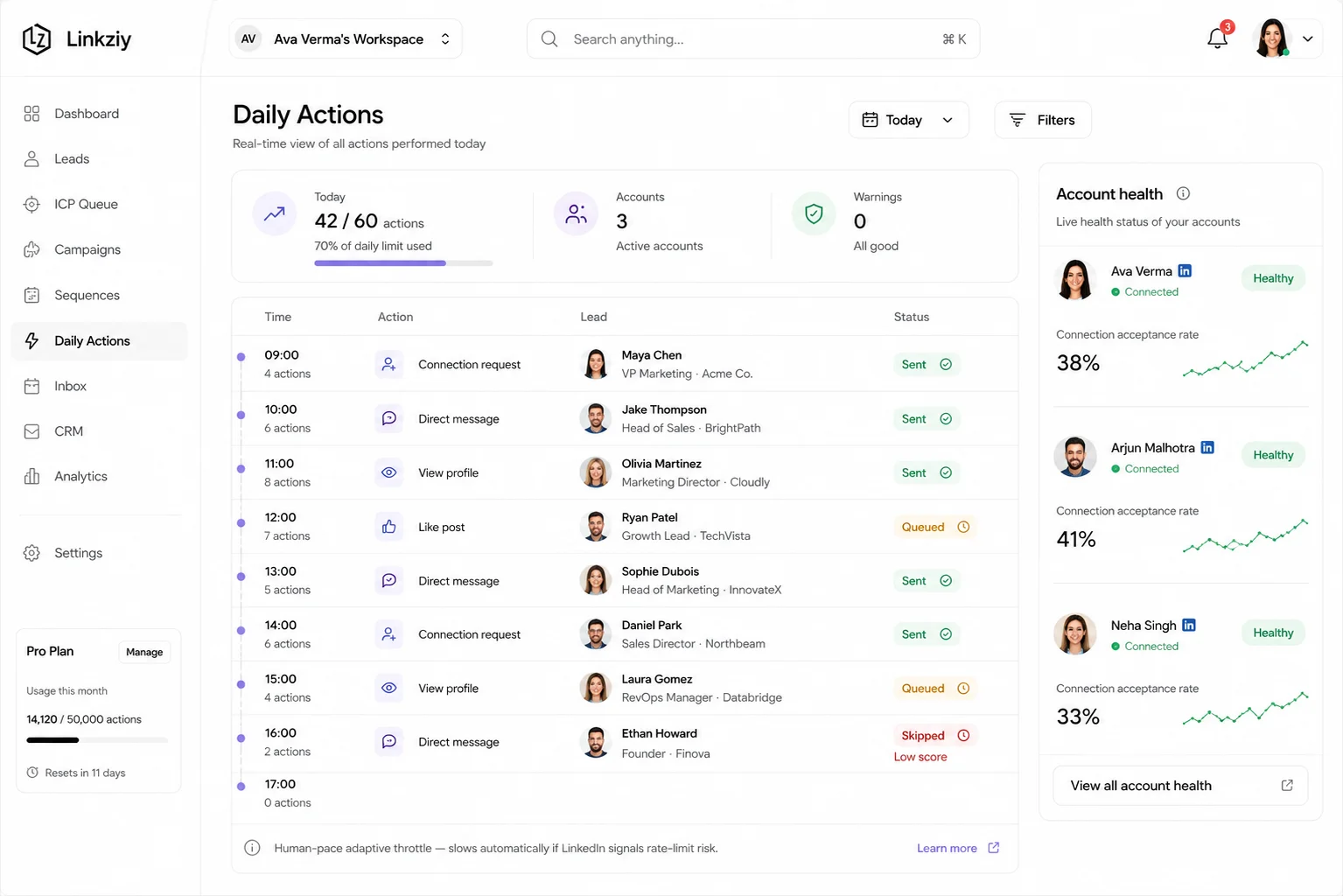
Build conditional campaign paths around prospect behaviour, so accepted connections and pending requests aren't treated as the same situation.
Choose LinkedIn senders, active days, working hours and timezone settings, so campaigns run around the operating rhythm you define.
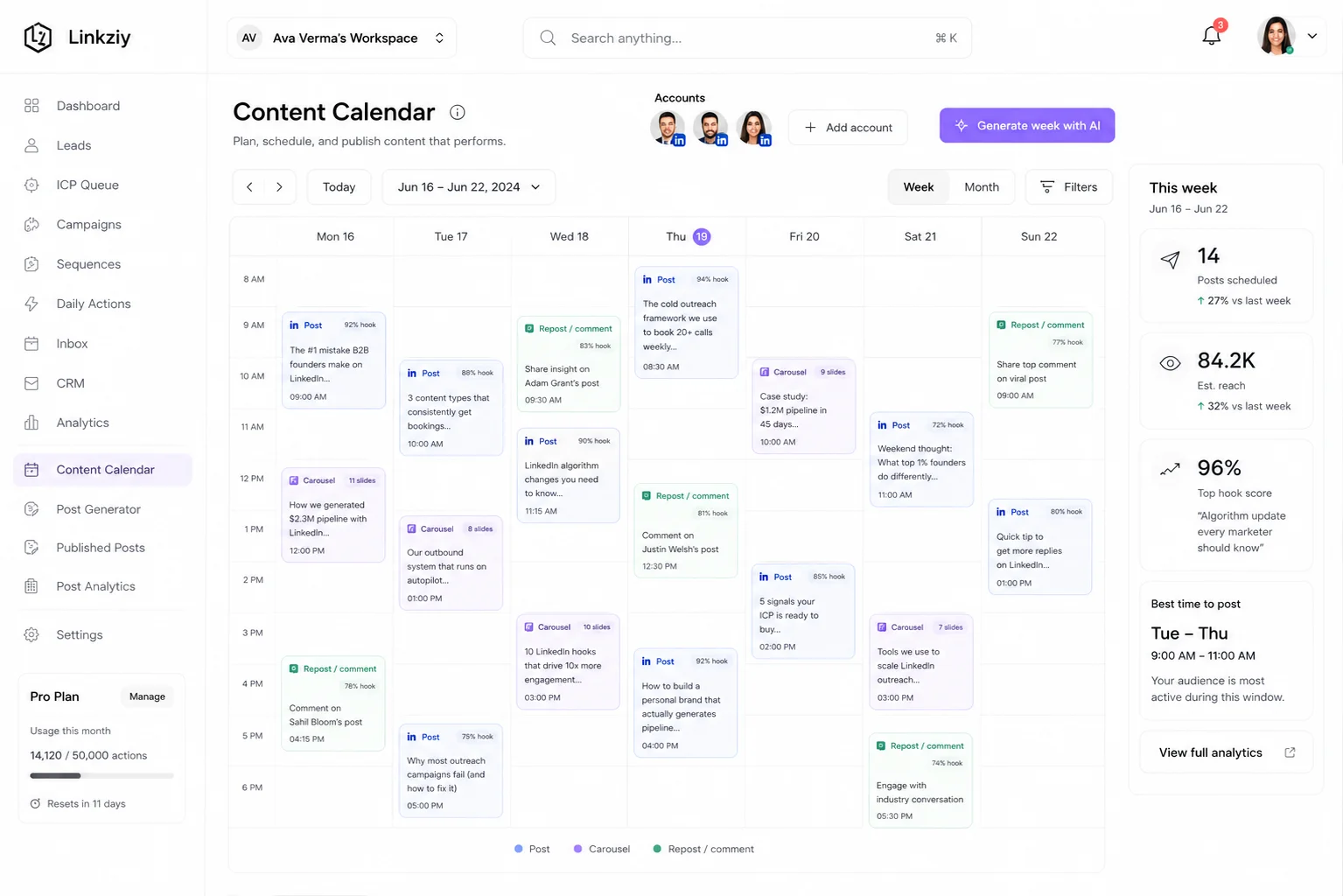
Generate content with AI, build manually, or start from an AI template depending on how much help you actually want.
Keep drafts moving, schedule upcoming posts and manage review workflows from a content calendar built around LinkedIn publishing.
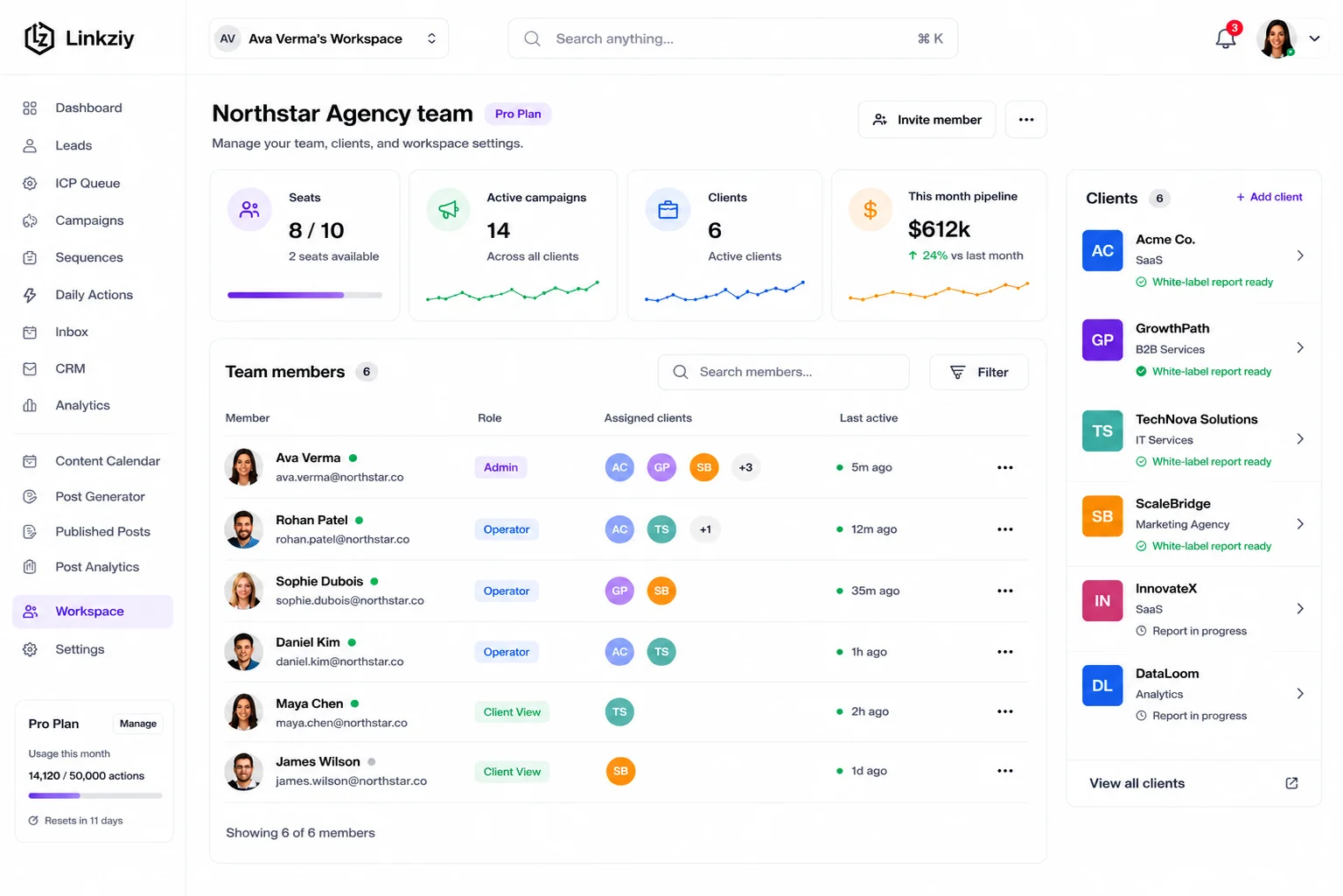
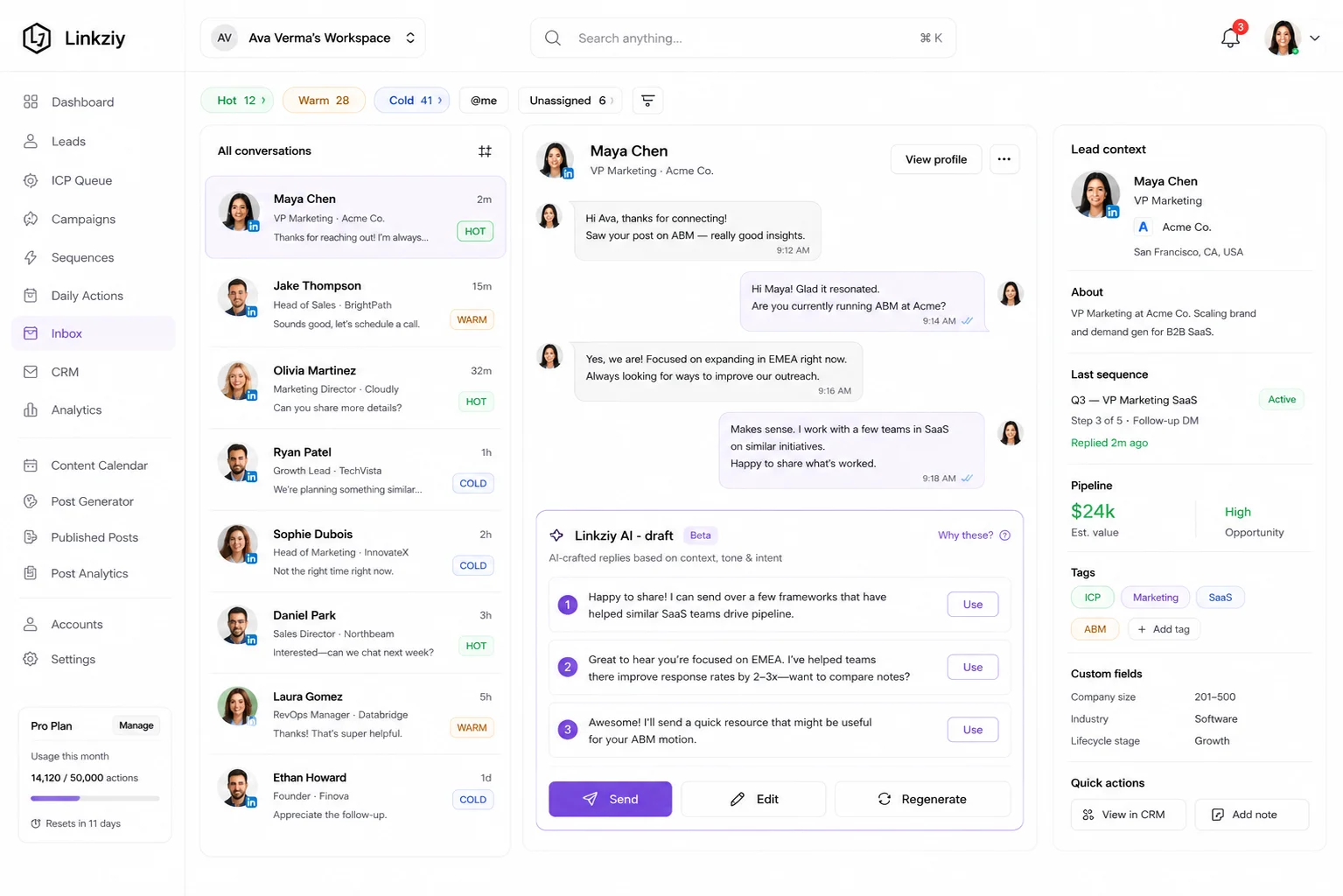
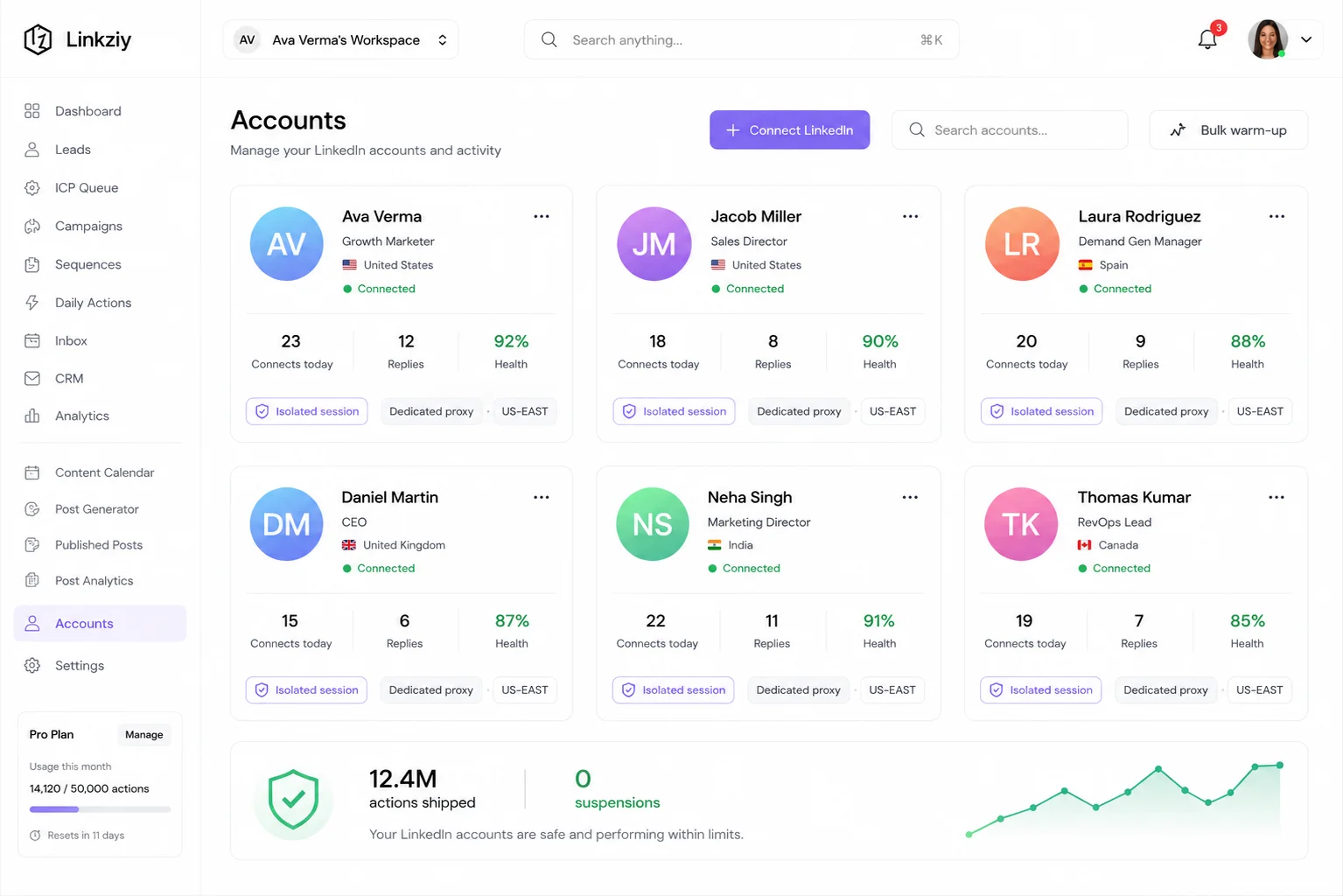
Bring LinkedIn conversations into a more manageable workflow so replies do not disappear inside a maze of accounts and tabs.
Track campaign and content activity, connect the workflow to supported CRMs, and make Linkziy accessible to the wider systems your team already uses.
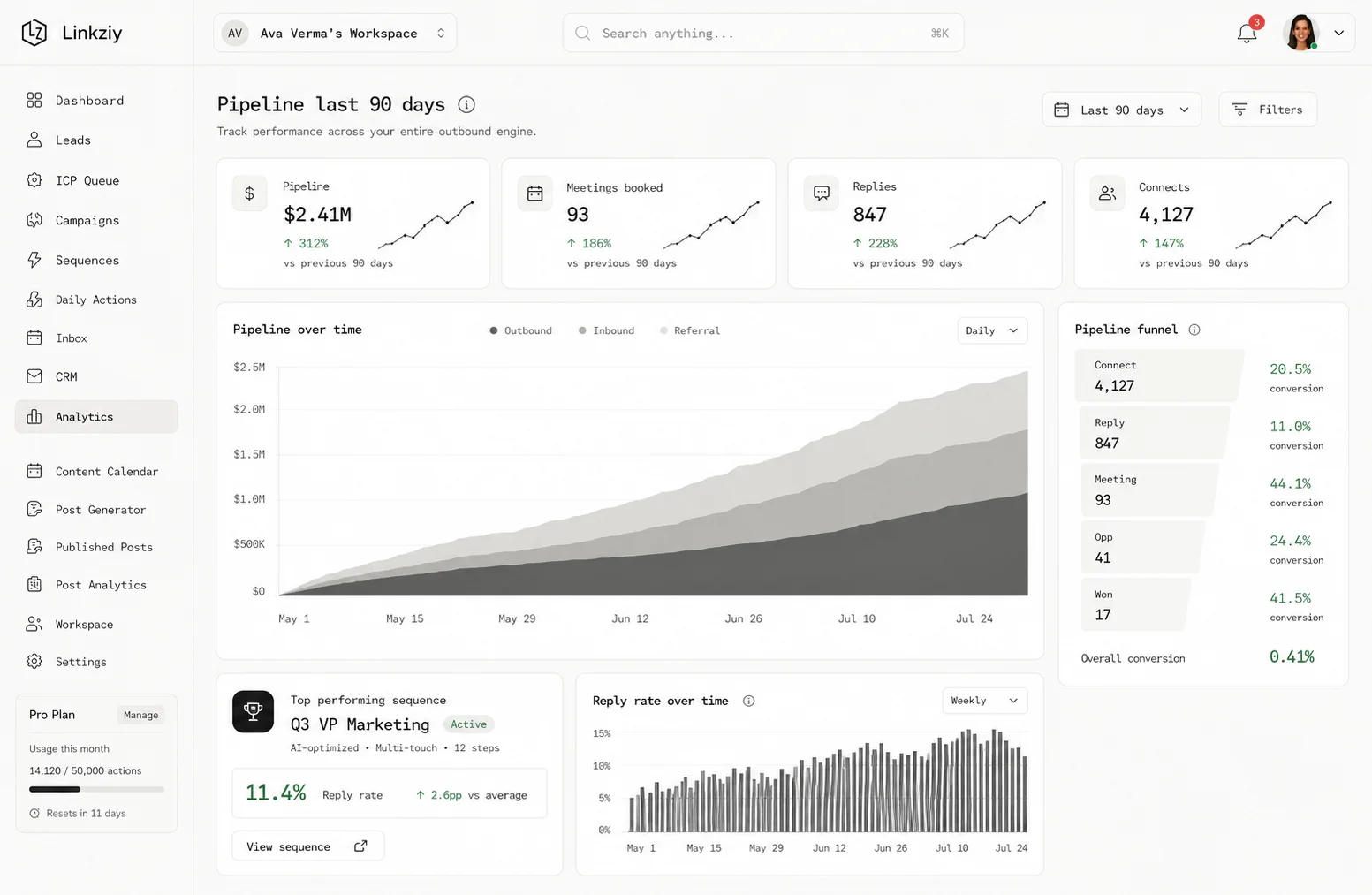
Less exporting. Less tab hopping. Less “Who was supposed to follow this up?”
Linkziy applies AI to workflows characterised by blank-page syndrome, tedious writing, and content generation that slows you down. It also helps you drive work forward, not just add more chatbots.
Use AI-assisted creation when you want to move faster than staring at an empty composer.
Use AI templates as a starting point when the idea is there but the structure is not.
Review, edit, and refine before anything becomes part of your public LinkedIn presence.
Move content into scheduling and review instead of leaving it buried in drafts.
Bring AI-assisted content into the same environment used for campaigns, accounts, and team workflows.
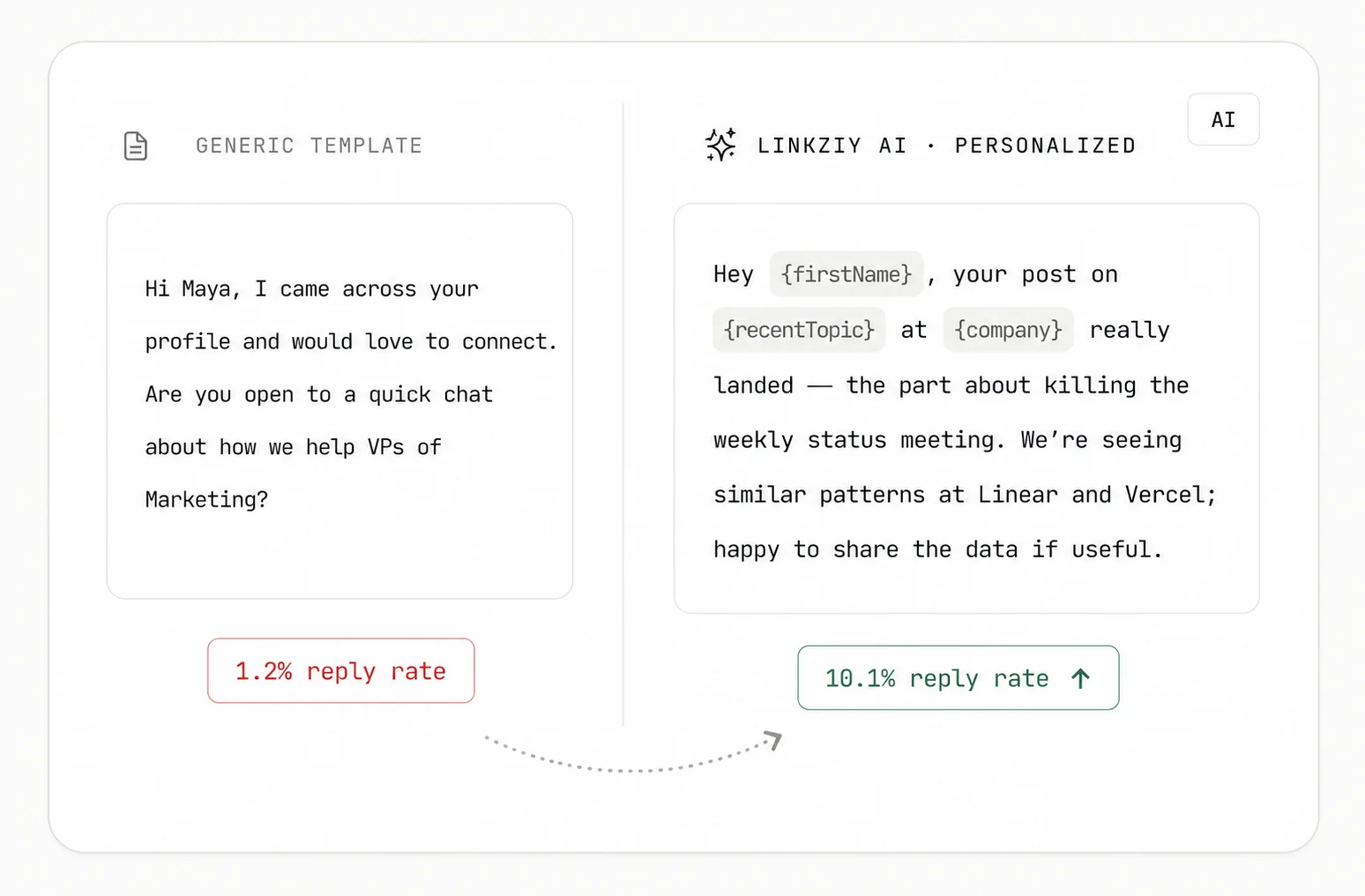
Linkziy AI reads a prospect’s profile, recent posts, and company details to create more relevant and personalized outreach messages.
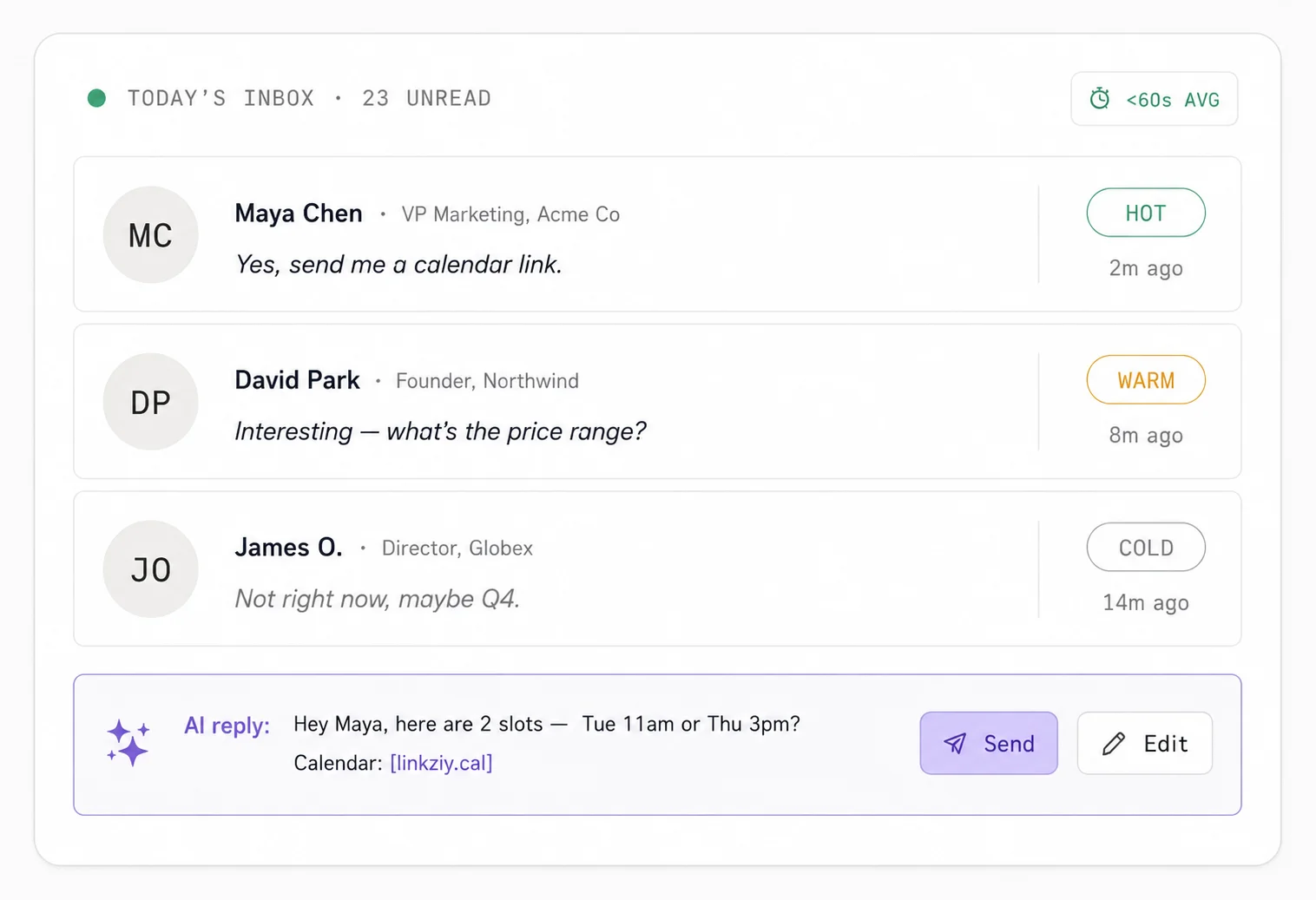
Incoming replies are automatically identified as hot, warm, or cold, helping you quickly understand which conversations need attention first.
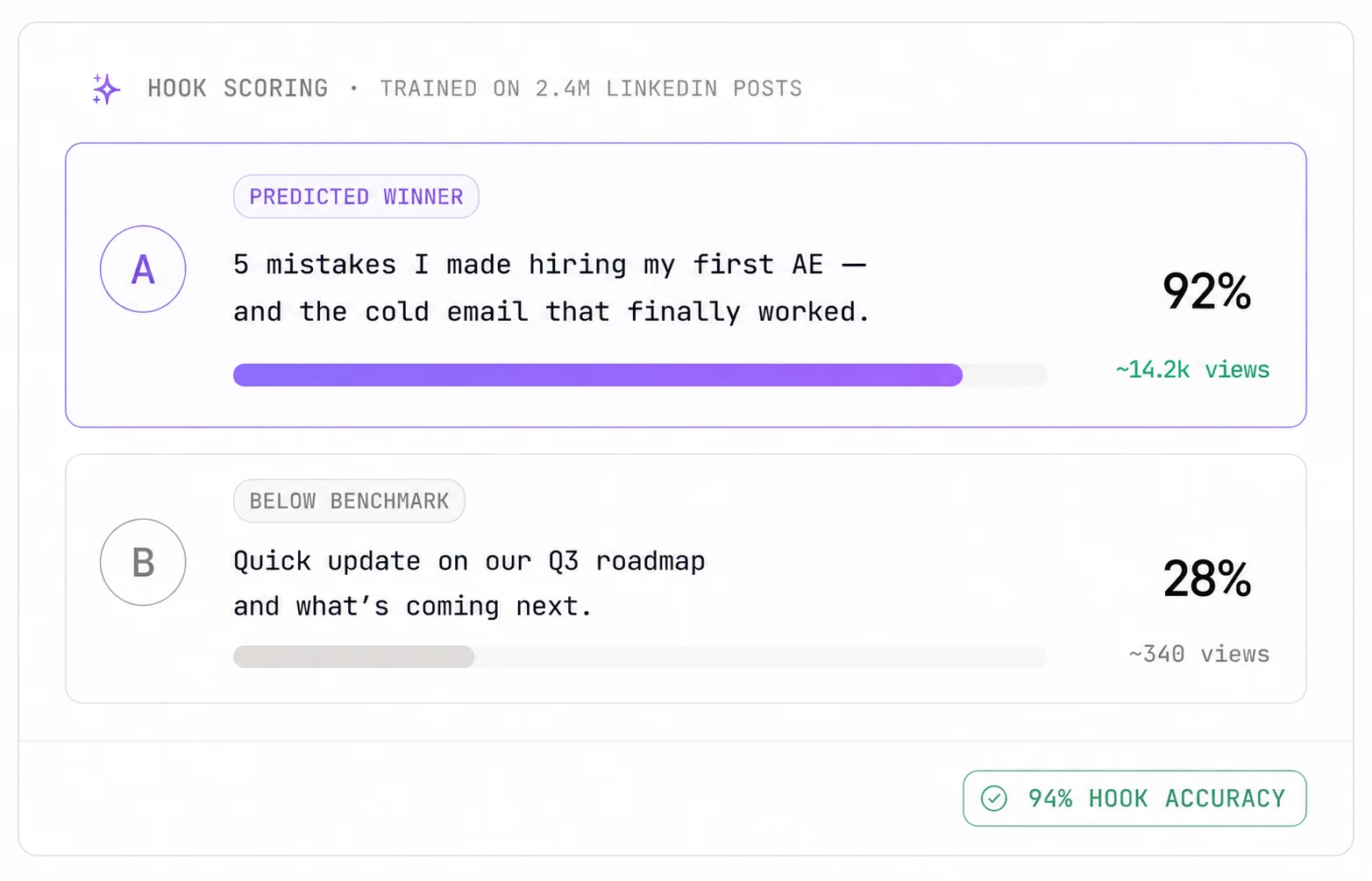
Check the strength of your LinkedIn post before publishing. Linkziy analyses your hook and helps you understand how well the content may perform.
No modules to mix. No credits to manage. No feature tiers to unlock. Just one price per LinkedIn account, with every feature included.
Looking for the best LinkedIn automation tool? Linkziy brings the daily LinkedIn workflows your team actually uses into one place, without the stock dashboards or unnecessary complexity.
Manage LinkedIn conversations from a more centralised inbox instead of bouncing between separate sender sessions.
Explore the Unified Inbox Build sequences, set campaign logic, choose senders, and control when outreach runs.
Explore Campaign Automation Create, review, and schedule LinkedIn posts from the same wider growth environment.
Explore Content Workflows Manage LinkedIn senders, workspaces, and activity without creating a separate process around every account.
Explore Multi-Account ManagementSee how Linkziy compares with other LinkedIn growth platforms across pricing, automation, content, AI, and account management.
Honest side-by-side · updated 2026
Build a Pipeline Without Becoming the Entire Sales Department.
Prospect, run outreach, and keep your LinkedIn presence active without turning half your day into follow-ups and content admin.
More Client Accounts. Less Operational Chaos.
Manage LinkedIn accounts, campaign workflows, content activity, and client-facing operations from a setup built to handle more than one brand.
Give Reps More Conversations, Not More Tabs.
Keep prospecting, sequences, replies and pipeline activity closer together so salespeople can spend less time rebuilding context.
Reach the People Who Are Not Refreshing a Job Board.
Build prospect lists, structure follow-ups, and manage LinkedIn conversations around passive candidate outreach.
Do More Than Collect Impressions.
Create and schedule LinkedIn content while keeping it closer to the prospecting and conversation workflows that can turn attention into opportunity.
A reliable automation tool for LinkedIn should have brakes as well as an accelerator. Linkziy combines campaign controls with account-level infrastructure designed around more measured activity.
Read the security policyNo credits to track, no add-ons to configure, no locked tiers. Connect an account and everything is already on.
No credits. No add-on maze. Just outreach that works.
Turn any LinkedIn post into a live outreach campaign, automatically.
Connect Claude, ChatGPT, Cursor, or n8n directly to your Linkziy data.
Every LinkedIn account gets its own dedicated IP — never shared.
New accounts ramp up safely on autopilot — no manual configuration.
Human-feeling voice outreach, included on every plan.
Email and phone enrichment included — leads arrive ready for any tool.
€59 / account / month · ₹5,487 / account / month
Include mobile numbers
Verified mobile numbers on the leads you enrich.
+€250 / account / month
Excl. tax · Prices shown in EUR with INR for reference — checkout is processed in EUR.
See everything that's included ↓14-day free trial on Starter · No credit card · Cancel anytime
Same product, same full feature set — priced for the volume you're actually running, with invoice billing, SSO, an uptime SLA and a named contact.
Give client accounts, sales teams, and larger LinkedIn operations a centralised place to manage campaigns, content, conversations, and account workflows as volume grows.
Get a plan tailored to your setup, with flexible billing, advanced access controls, and dedicated support.
Schedule a DemoIsolate client activity on LinkedIn at the workspace or account level but still run the entire operation through a single platform. Campaigns, content, and talks remain simpler to monitor without building a new tool stack for each client. See the agency workflow.
Need something specific? Ask us directly — we answer during business days.
Bring prospecting, campaigns, content, and conversations into one operating rhythm. Connect your account, build the workflow, and spend less time managing the machinery behind growth.