Multiple Ways to
Add Prospects
Start with a LinkedIn search, discover new leads, or import your existing list. Linkziy makes it easy to bring prospects into one place and get them ready for your outreach workflow.
14-day free trial · no credit card · cancel anytime
Find Prospects on LinkedIn
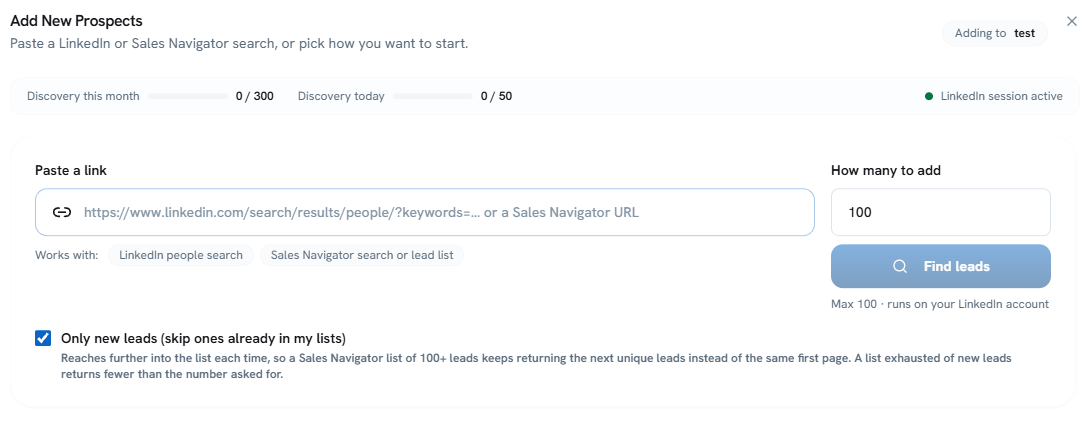
Paste a LinkedIn People Search or Sales Navigator URL to discover and add relevant leads directly to Linkziy. Choose how many leads to find and skip prospects already in your lists.
Discover New Leads
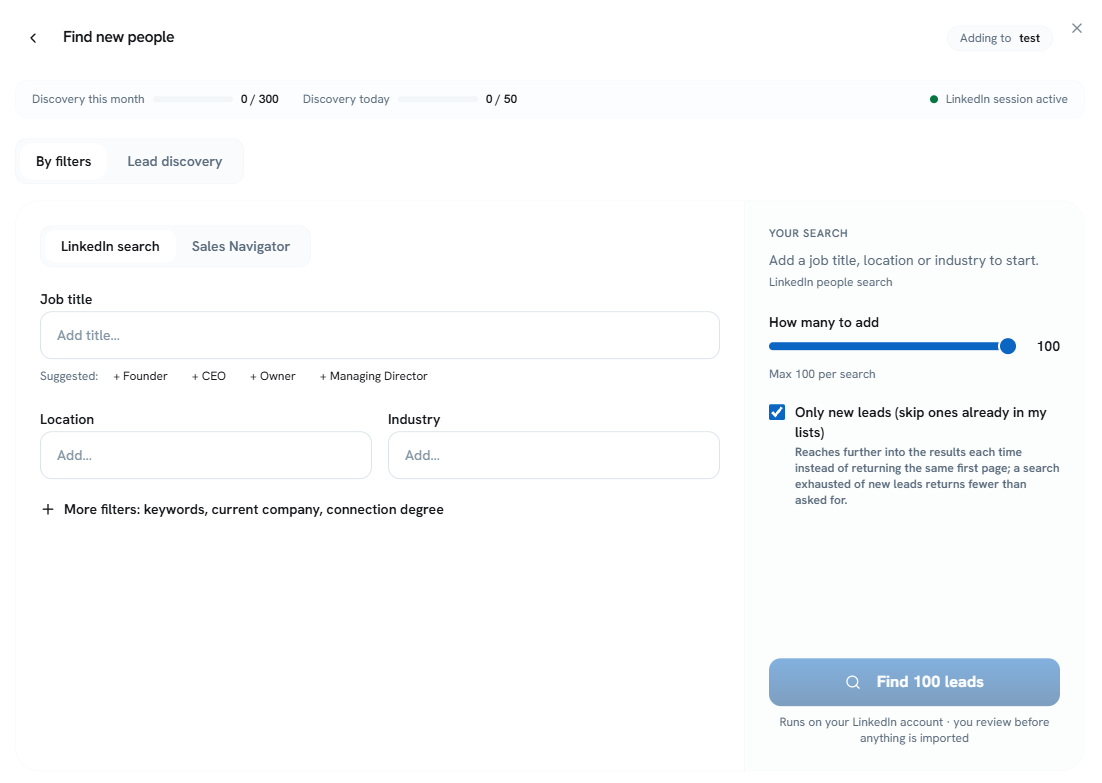
Discover relevant prospects using LinkedIn Search or Sales Navigator. Filter people by job title, location, industry, keywords, current company, and connection degree, or use Lead Discovery to find potential prospects based on engagement activity. Choose how many leads to find, skip prospects already in your lists, and review leads before importing them into Linkziy.
Import Your Existing List
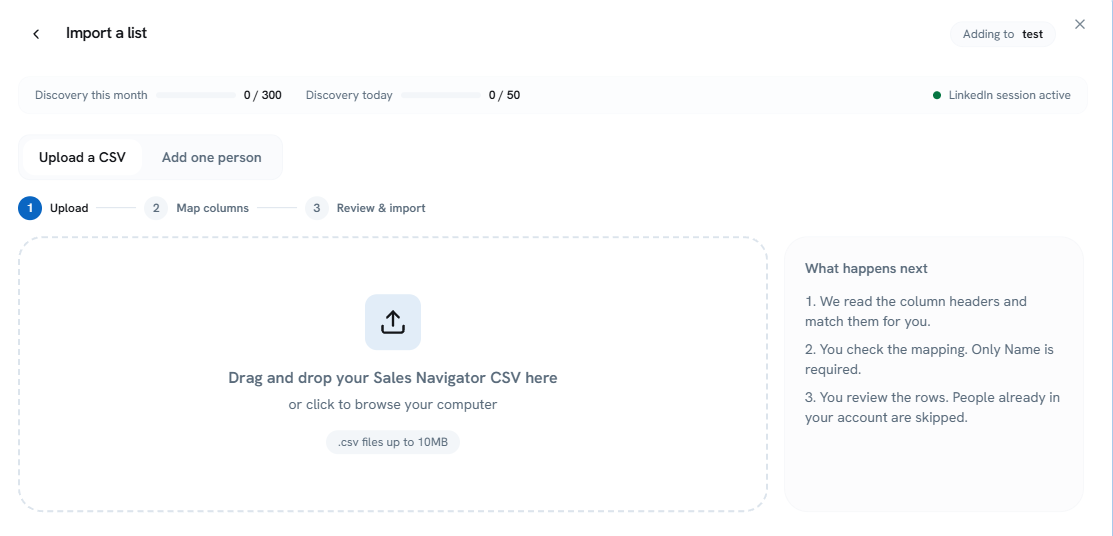
Bring your existing prospects into Linkziy by uploading a Sales Navigator CSV or adding individual people manually. Upload your CSV, map the columns, and review your data before importing. Existing prospects already in your account are automatically skipped to help prevent duplicates.
Find Leads with Cloud People Search
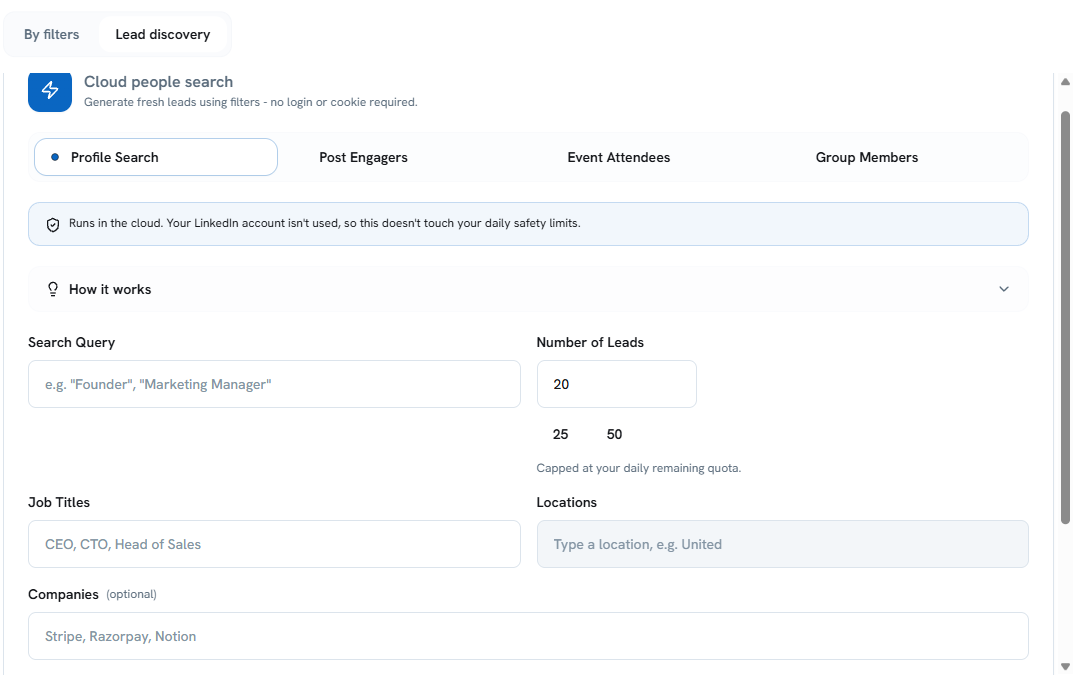
Enter your search details to fetch relevant lead data through cloud-powered search. Linkziy processes your inputs — job titles, locations, companies, and keywords — and retrieves matching prospects, helping you discover new leads without manually searching through multiple sources. Runs in the cloud without using your LinkedIn account, so it does not touch your daily safety limits.
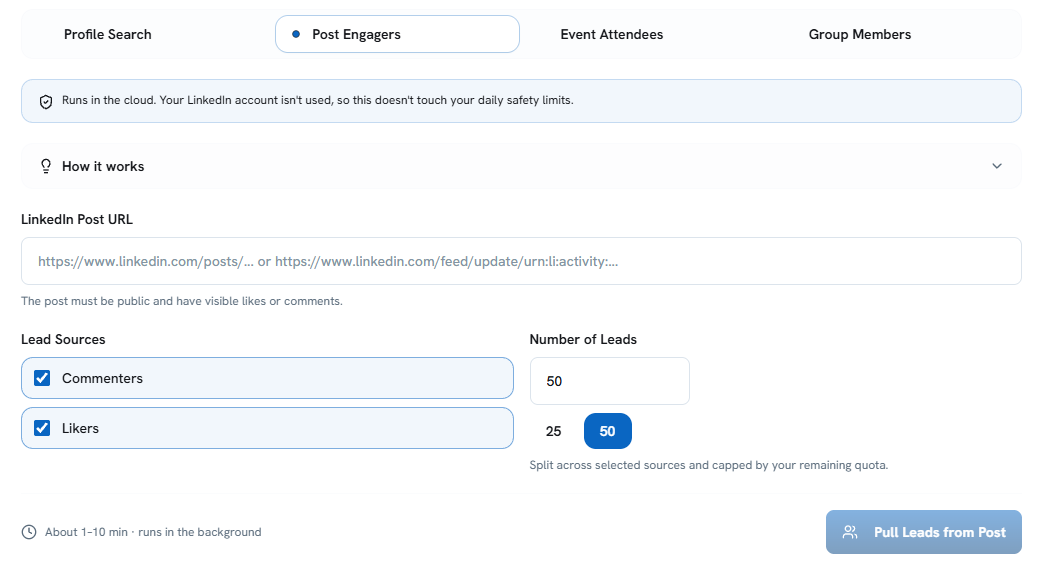
Find Leads from LinkedIn Post Engagers
Enter a public LinkedIn post URL to find people who interacted with it. Choose commenters, likers, or both, and select how many leads to fetch. Linkziy runs the process in the cloud without using your LinkedIn account, helping you discover relevant prospects from post engagement while preserving your daily LinkedIn safety limits.
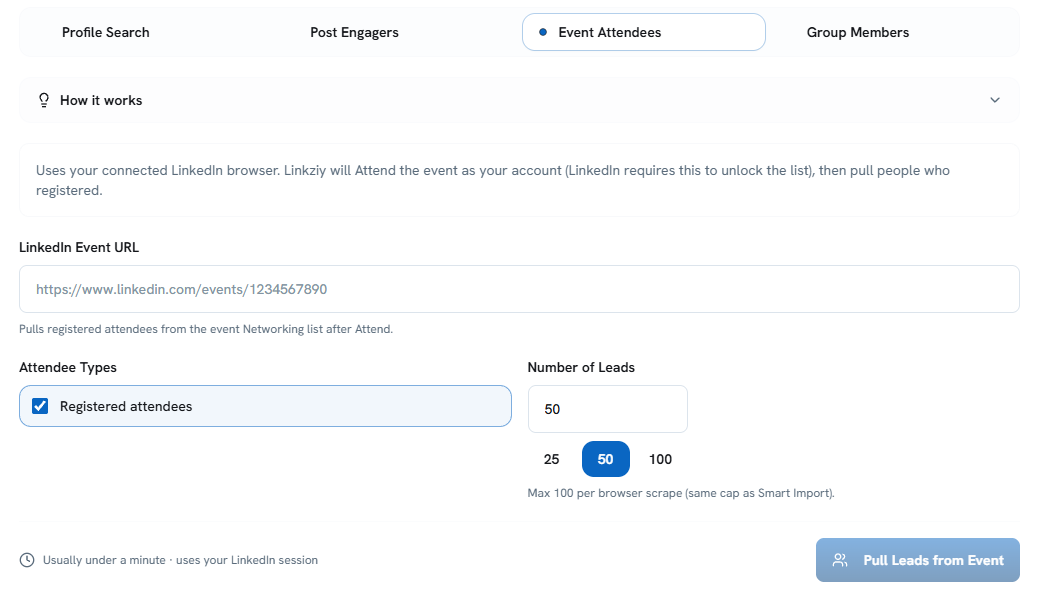
Find Leads from LinkedIn Event Attendees
Enter a LinkedIn event URL to discover registered attendees. Linkziy uses your connected LinkedIn browser to access the event attendee list and retrieve prospects who registered. Choose the number of leads you want to fetch and build targeted prospect lists based on relevant industry events and networking opportunities.
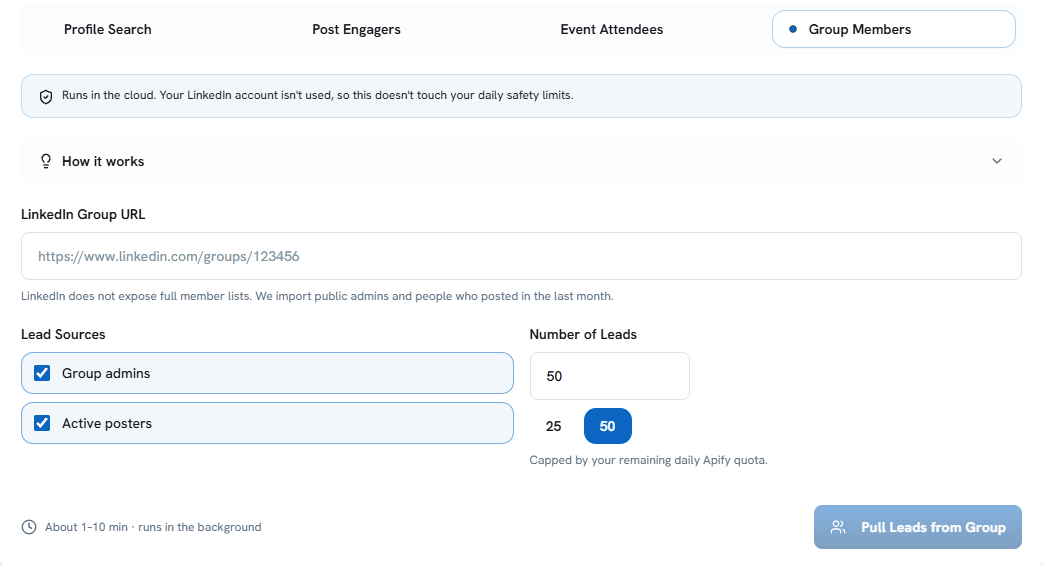
Find Leads from LinkedIn Groups
Enter a LinkedIn group URL to find public group admins and people who have posted in the last month. Linkziy retrieves available data without requiring access to the group's full member list, which LinkedIn does not expose. Choose group admins, active posters, or both to build targeted prospect lists from relevant LinkedIn communities.
Frequently Asked Questions
Common questions about adding prospects in Linkziy.
Can I paste a LinkedIn or Sales Navigator URL to add prospects?
Can I upload my own prospect list?
How does cloud people search work?
Can I find leads from LinkedIn posts, events, and groups?
Will duplicate prospects be added?
Build Your Prospect List Your Way.
LinkedIn search, lead discovery, or CSV import. Bring prospects into Linkziy, enrich their data, and move them directly into your outreach workflow.