LinkedIn Post Inspector: A Guide for a Business Owner
See how LinkedIn Post Inspector helps you preview links, fix outdated data, and avoid sharing issues. Check your page before posting—try it now!

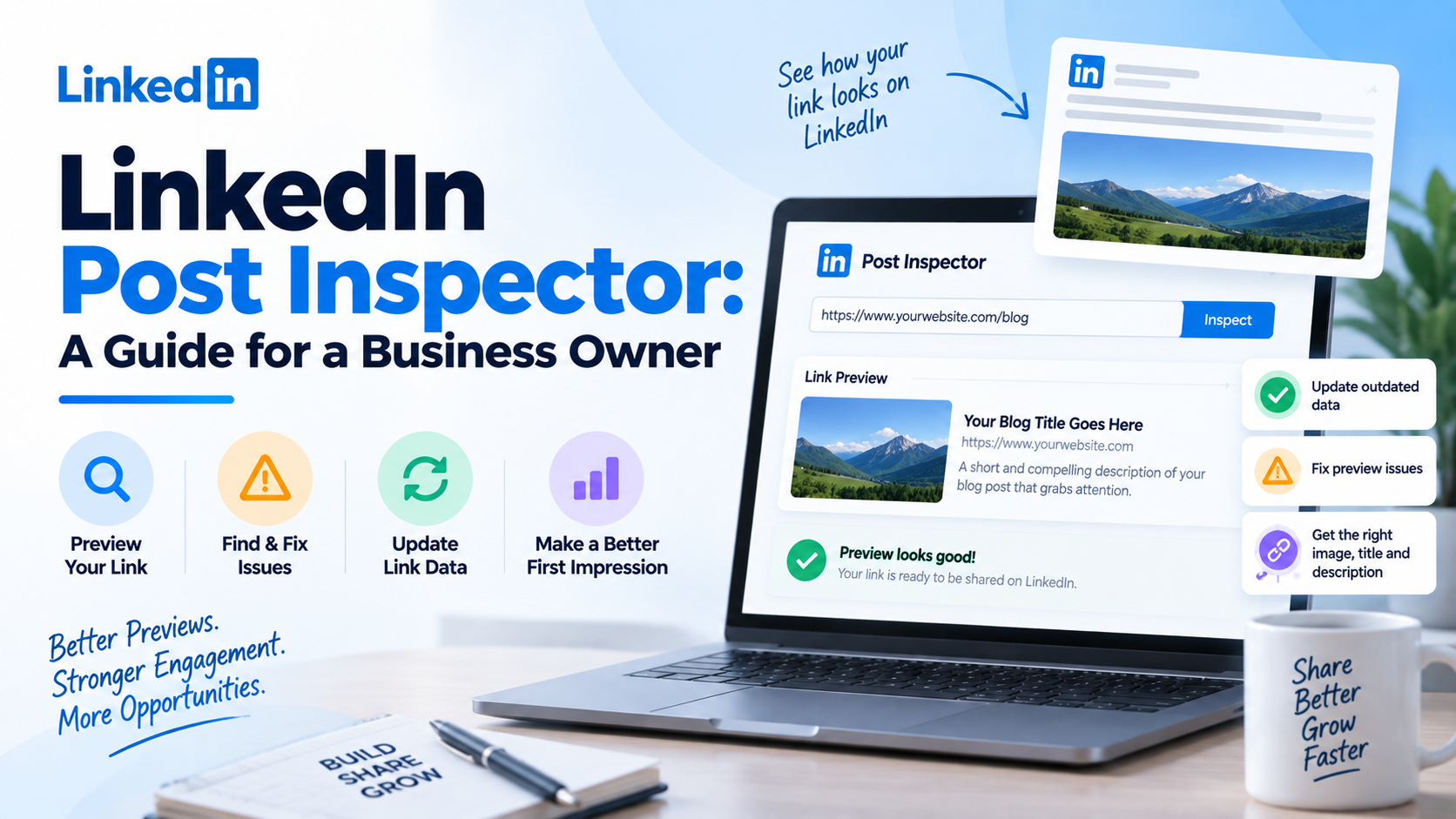
LinkedIn Post Inspector helps you preview how a webpage appears when shared, diagnose preview issues, and update outdated link data before a post goes live. First impressions form before anyone clicks the title, image, or description.
Key Takeaways
- LinkedIn Post Inspector checks how LinkedIn reads and displays a public URL.
- It helps diagnose wrong images, outdated titles, missing descriptions, and cached previews.
- It improves presentation, but it does not fix website code or guarantee engagement.
What is the Linkedin Post Inspector Tool?
LinkedIn Post Inspector: LinkedIn has a legitimate debugging tool, LinkedIn Post Inspector, to verify how a URL will display when shared on LinkedIn. You enter a public link, run the check, and the tool shows the preview and metadata LinkedIn sees on the page.
The link previews are constructed out of the data on your webpage, not out of the text of your LinkedIn post.
What Does the Tool Read?
LinkedIn commonly relies on Open Graph metadata, including:
- og:title for the preview headline
- og:description for the supporting description
- og:image for the preview image
- og:url for the preferred page URL
The inspector shows what LinkedIn can actually read. If the wrong image or headline appears, the issue is often connected to these tags or to cached data.
Why Should a Business Owner Use a LinkedIn Post Inspector?
You can spend hours creating content only to share it with an outdated image or incomplete preview. That weakens the presentation before prospects evaluate the content.
Protect Your First Impression
A clean preview makes a link look intentional. The title, image, and description should match the page and give users enough context to click.
Catch Problems Before Publishing
The LinkedIn Post Inspector tool lets you see potential issues before the link appears in an active post. Use it for product launches, lead-generation pages, reports, case studies, webinars, and announcements.
Refresh Outdated Information
Information is linked in LinkedIn caches. If you refresh a page but LinkedIn still shows an older title, description, or image, refresh the URL one more time and clear the current preview; LinkedIn will scrape again and update the preview used in future posts. It is common that existing published posts retain their previous preview.
How Do You Use a LinkedIn Post Inspector?
The process is straightforward.
Step 1: Enter the Complete URL
Open LinkedIn’s Post Inspector and paste the full URL, including https://. Click Inspect.
Step 2: Review the Preview
Check whether the title, description, and image match what you want users to see. Review the URL information and metadata too.
Step 3: Fix the Source, Not the Preview
If something is wrong, change the relevant information on your website or CMS. Post Inspector is diagnostic; it does not rewrite your title, replace the image, or repair missing tags.
Step 4: Inspect Again
After making the changes, run the URL through the tool again. This confirms whether LinkedIn can now read the correct data.
What Problems Can LinkedIn Post Inspector Help You Identify?
Most preview issues fall into a few categories.
Wrong or Missing Preview Image
If LinkedIn displays the wrong thumbnail, check the og:image value. The image may be missing, inaccessible, incorrectly sized, or outdated.
Old Title or Description
It is possible that you updated the page and LinkedIn is still displaying metadata that is stored in the cache. You can request a fresh version by re-inspecting the URL.
No Link Preview
The blank preview may mean that the page is not reachable by the LinkedIn crawler. This could result from server issues, firewall/CDN blocks, HTTPS problems, redirects, or an invalid URL.
Conflicting Metadata
Several SEO extensions or duplicate Open Graph tags may cause LinkedIn to interpret information you didn't intend. The inspector shows the values it detects.
What Can LinkedIn Post Inspector Not Do?
Keep expectations realistic.
The tool cannot:
- Rewrite your webpage metadata
- Edit your website code
- Bypass server or firewall restrictions
- Change an already published post’s preview
- Override LinkedIn’s feed algorithm
- Guarantee clicks, reach, leads, or engagement
A clean preview improves presentation but doesn't replace strong content, a relevant audience, or a solid growth strategy.
How Can You Use It as Part of a Business Content Workflow?
Wait until you find a fractured preview to come out in the air.
Before posting a foreign connection, check it out. This should become the norm for blogs, lead magnets, landing pages, events, product launches, and even customer stories.
You can also note valuable URLs and the last check date, especially when multiple teams handle content.
Conclusion
LinkedIn Post Inspector addresses a small technical issue that could cause an apparent business error. It also lets you verify that links you share have the right title, description, image, and new metadata before they reach prospects or customers.
An accurate preview isn't the only part of LinkedIn growth. You also need the right audience, helpful content, and consistent outreach.
Linkziy fits right in there. Linkziy concentrates on LinkedIn growth and automation, assisting organisations in developing a more structured strategy in approaching and connecting with the appropriate individuals on LinkedIn.
If your LinkedIn connections are displayed correctly and you still rely on your own initiatives and occasional outreach, consider using Linkziy to build a more systematised LinkedIn development process that suits your business objectives.
FAQs
Q1. Is LinkedIn Post Inspector free?
Yes. LinkedIn provides Post Inspector as a tool to check and debug how public URLs appear when shared.
Q2. Does LinkedIn Post Inspector improve engagement?
Not directly. It can improve how a link preview appears, but engagement still depends on your content, audience, timing, and distribution.
Q3. Why is LinkedIn showing an old image after I changed it?
LinkedIn may still be using cached metadata. Update the Open Graph information on your page and inspect the URL again to request a fresh scrape.
Q4. Can LinkedIn Post Inspector fix a broken preview automatically?
No. It identifies what LinkedIn can read and can refresh cached data, but you must make website-level fixes in your CMS, metadata, or code.